

Type it Faster!
I frequently see developers using backspace to delete a few words and it takes forever while they hold down the delete key. Please change your keyboard settings so I don’t have to suffer. You’ll be happier too, I promise.
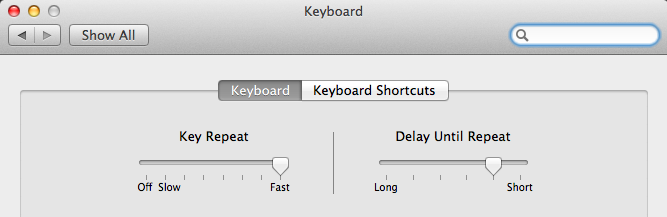
On your Mac, open System Preferences, then Keyboard. You want to crank the Key Repeat all the way to Fast. I keep Delay Until Repeat a step off Short, but try going all the way then backing down if you desire.
Now go try holding down a key in an editor of your choice. Your life just got faster.
Comments
Maybe those developers should just learn the keyboard shortcuts for the editor/software they use. Two examples that save me tons of time: Ctrl + W - in vim (and most terminals) Alt + Backspace - in most OSX applications deletes a whole word at once.